
Dear Bookbuilders,
today we’re excited to give you a round-up of new features that a lot of you have been asking for. You asked – we listened! Here’s what’s new:
Book Preview
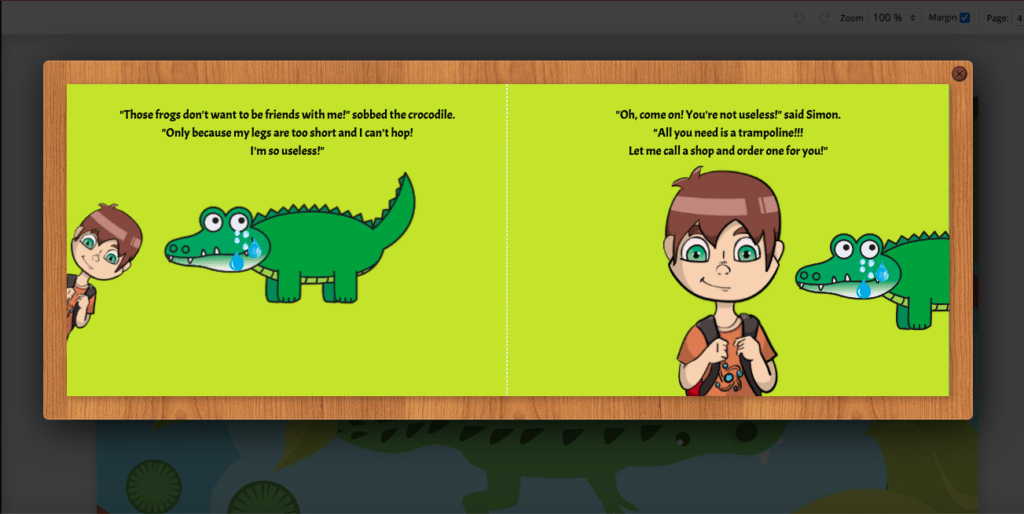
Want to get an idea of how your book will look in print? With the new Preview feature, you can. You’ll see your book in spreads as opposed to separate pages in the BookBildr editing tool and you can turn the pages by clicking on a corner of a page. Keep in mind the following formatting guidelines:
- The first page of the book design is the front cover.
- The last page of the book design is the back cover.
- The second page of your book design will be printed on the first available page on the right. The inside of the cover will be white.
More info in the FAQs.
Spread View Mode
You can also preview your book in spreads using the Spread View Mode. To do that, zoom out to 50%. The advantage of the Spread View Mode over the flipbook preview is that you can edit element placement and text while in that mode.
More info in this support article.