
Once your book is finished and you’ve previewed it to make sure it looks just the way you want it, you’re ready to order printed copies. You can order just one title or several titles under your account.
There are two ways of ordering printed copies:
- From the BookBildr editing tool
- From the My Books page
Page counts refer to the pages in your book project, including the covers:
- Coil-bound softcover — from 6 pages
- Saddle-stitched paperback — from 6 pages
- Hardcover — from 26 pages
- Perfect-bound paperback — from 34 pages
Ordering from the BookBildr editing tool
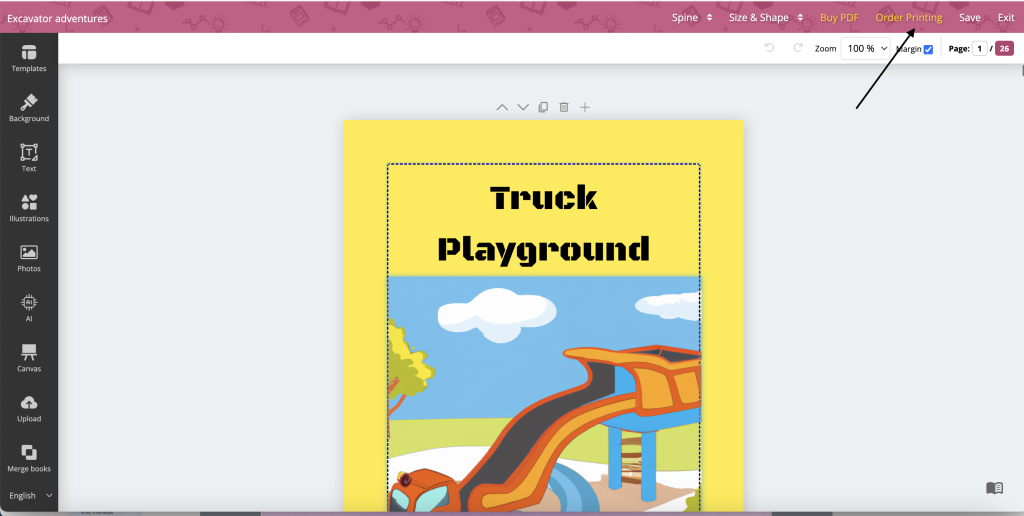
To order printed copies of the book you’ve just finished working on, click on the Order Printing link in the top toolbar of the BookBildr Editor:
You will be redirected to the pre-order page. There, use the drop-down menus to select the format, paper type and cover type for your book.

Use the counter to adjust the quantities — we have volume discounts starting at just 5 copies.
Ordering from the My Books page
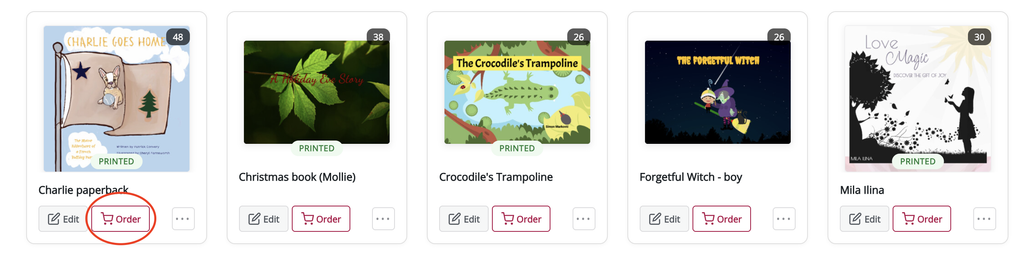
If you’d like to order several books in one go and take advantage of combined shipping, go to the My Books page and click the Order button underneath the book thumbnail. Then choose the product type and quantity as described above.
Completing your order
When you’re ready to order, use the shipping drop-down menu to select your preferred shipping method — it shows all methods available for your location. Then click the Calculate Pricing button to calculate the total cost of your order.
Next, click on the Proceed to Order button and you will be redirected to the payment page.
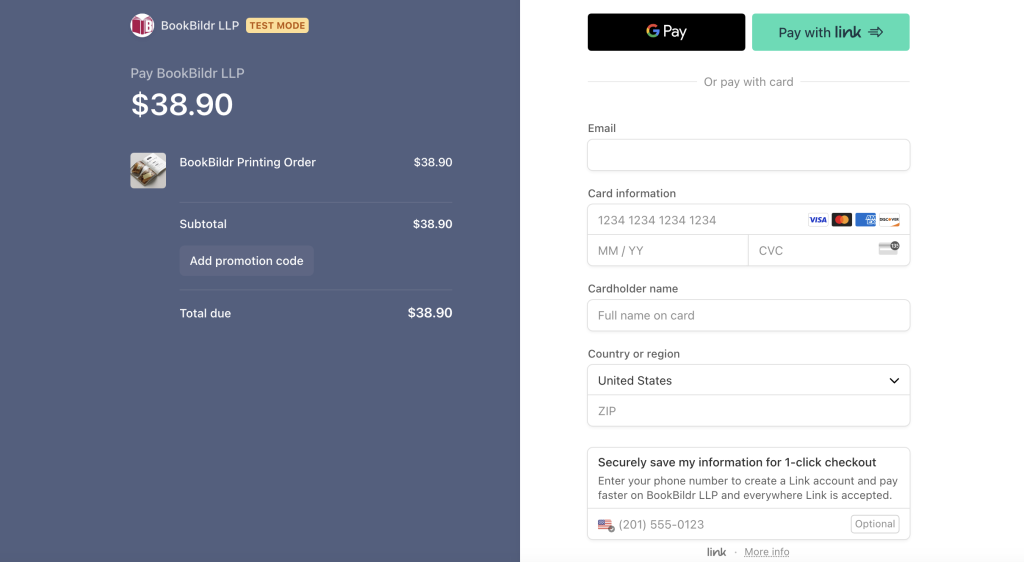
On the payment page, review the order total, enter a discount code if you have one, and then enter your bank card details. We accept all major credit and debit cards.
After you place your order, you’ll be redirected to the Thank You page. You’ll also get a confirmation email with the order details.
Once we ship your book, you’ll get another email with a tracking link.
To review past orders, go to My Account — My Printing Orders. You can also see the general status of an order directly on the book thumbnail on the My Books page.


